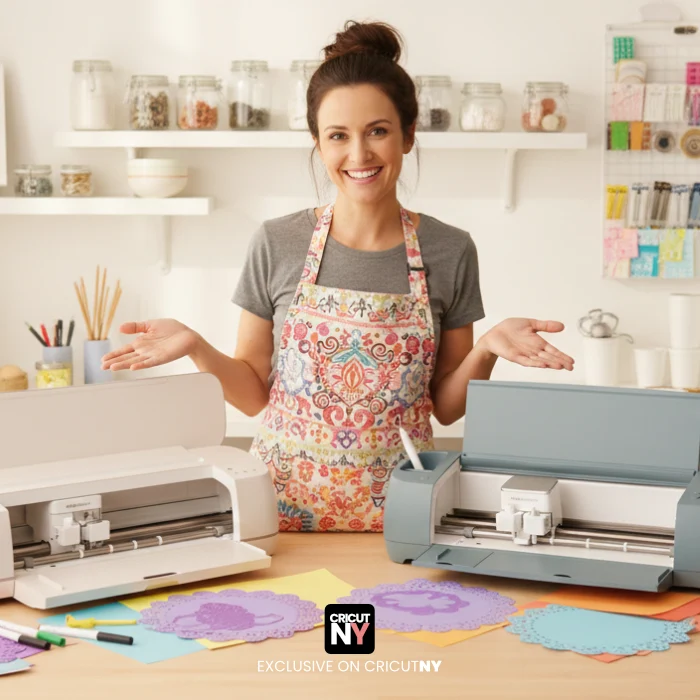
What is a Cricut machine and how does it work?
A Cricut machine is a smart cutting machine that helps you create crafts with precision. Instead of cutting by hand, the machine follows a digital design and cuts, draws, or writes on different materials for you.
You control the Cricut machine using software on your computer, tablet, or phone. You choose a design, adjust the size, select your material, and the machine does the rest.
How a Cricut machine works (simple explanation)
The process is very straightforward:
- You choose or upload a design
- You can use text, images, or SVG files. Many people use ready-made designs or fonts, especially when starting.
- You place the material on a cutting mat
- Materials can include vinyl, cardstock, paper, iron-on, or other craft materials.
- The machine cuts or draws the design
- The Cricut follows the exact shape from the design file and cuts it cleanly and evenly.
- You apply the result to your project
- This can be a sticker, shirt, mug, card, label, or decoration.
The machine is precise enough to cut very small details that would be difficult to do by hand.
What can a Cricut machine cut or draw?
A Cricut machine can work with many materials, including:
- Vinyl for stickers and decals
- Cardstock and paper for cards and invitations
- Iron-on vinyl for shirts and fabric projects
- Printable materials for labels and planners
Some models can also draw using pens, which is useful for writing or outlining designs.
Do you need design skills to use a Cricut?
No. Beginners can start without any design experience.
Many users begin by:
- Using ready-made designs
- Using simple text or fonts
- Adjusting size and position only
As you gain confidence, you can upload custom SVG files or create more complex projects.
Is a Cricut machine good for beginners?
Yes. Cricut machines are popular with beginners because:
- The software is easy to learn
- Projects can be simple or advanced
- You don’t need expensive tools
- Results look clean and professional
That’s why many people use Cricut for DIY projects, gifts, small businesses, and home organization.
Final thought
A Cricut machine works like a bridge between digital designs and real-life crafts. You design on a screen, and the machine turns it into something you can touch, use, or give as a gift.
Once you understand how it works, creating projects becomes fast and enjoyable.
available files.
SVG Files
Use the SVG design with Cricut Design Space, Silhouette Cameo (Upgrade Edition), and other cutting machines, design applications and laser cutting machines.
Compatible With

Cricut Design Space

Silhouette Studio

ScanNCut

Canva website
glowforge

All Cutting Machines

Procreate

Image processing software

Text processing software

Operating Systems